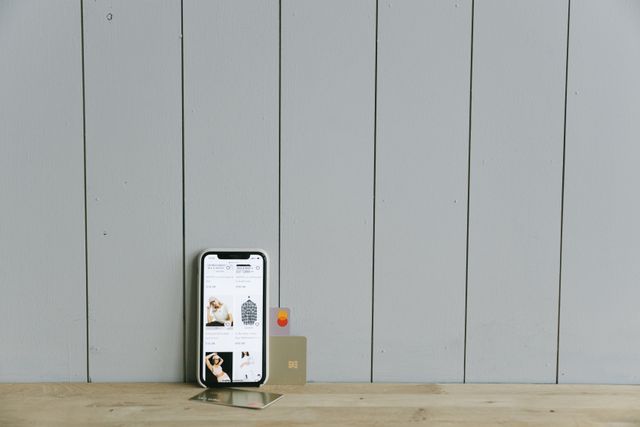
Discover everything about the Fintwist app, including its features, benefits, how it works, security, and tips for getting the most from your payroll card.
The Fintwist app is a mobile financial management application designed for users of Fintwist payroll and prepaid cards. It allows cardholders to check balances, review transactions, transfer eligible funds, locate ATMs, and manage their money securely from their smartphones.
Money has a strange way of demanding our attention at the least convenient moments. Sometimes it happens while standing in a grocery checkout line. Other times it happens halfway through a work shift when you suddenly wonder whether your paycheck has arrived. Those tiny moments of uncertainty can feel much bigger than they really are.
That is where the Fintwist app quietly earns its place. It does not promise to reinvent banking or make extravagant financial claims. Instead, it focuses on something surprisingly valuable, making payroll card management simple, accessible, and transparent.
At first glance, it may seem like just another finance app. The more you explore it, however, the more you realize it was built around everyday financial routines rather than flashy technology. It helps users see where their money is, where it has gone, and what options they have next.
For people paid through employer payroll cards, that simplicity often becomes its biggest strength.
What Is the Fintwist App?
The Fintwist app is the official mobile companion for eligible Fintwist payroll and prepaid cardholders. It provides convenient access to payroll card information without requiring users to visit a website or call customer service for every small question.
Instead of guessing whether your paycheck has been deposited, you can simply open the app and check within seconds.
Its primary purpose is to place essential financial information in one easy-to-use dashboard.
Who Uses the Fintwist App?
The app is mainly intended for:
- Employees paid through payroll cards
- Workers without traditional bank accounts
- Temporary and seasonal employees
- Contractors receiving eligible payroll payments
- Individuals using employer-issued prepaid cards
Rather than replacing a traditional bank, the app complements payroll card services by making daily account management easier.
How the Fintwist App Works
The experience begins after receiving an eligible payroll card from an employer.
Once the card is activated, users create an online account and connect it with the mobile application. After signing in, the dashboard displays available balance, recent activity, deposits, and other account information.
Everything is organized into clear sections that require very little learning.
It feels less like navigating banking software and more like checking a familiar mobile application.
Key Features of the Fintwist App
Instant Balance Checks
Perhaps the most frequently used feature is the ability to view the available balance instantly.
Instead of waiting on automated phone systems or visiting an ATM, users can simply open the app and know exactly how much money is available.
Small convenience.
Big difference.
Transaction History
Understanding spending habits becomes much easier when every transaction appears in one organized list.
Users can quickly review:
- Payroll deposits
- Purchases
- ATM withdrawals
- Transfers
- Card activity
Having this history available encourages better budgeting because it removes much of the guesswork from personal finances.
Direct Deposit Notifications
Many users appreciate knowing exactly when their payroll arrives.
Rather than repeatedly checking throughout payday, notifications can reduce uncertainty and make financial planning easier.
Money Transfers
Depending on account eligibility, users may be able to transfer available funds to linked bank accounts.
This flexibility allows payroll card users to move money when needed instead of relying entirely on ATM withdrawals.
ATM Locator
Finding an ATM sounds simple until you’re in an unfamiliar area.
The Fintwist app helps locate nearby ATM options, saving time and reducing frustration.
Customer Support Access
Questions inevitably arise.
Instead of searching for support phone numbers online, users can quickly access customer assistance directly through the application.
Why Many Employees Prefer Using the App
There is something reassuring about seeing your financial information in real time.
Without a mobile app, payroll cards can sometimes feel disconnected from everyday banking experiences.
The Fintwist app narrows that gap.
Instead of wondering whether your paycheck has arrived, you simply check.
Instead of searching through receipts, you review transactions.
Instead of waiting for monthly statements, you stay informed every day.
It transforms uncertainty into visibility.
That shift may seem small, but it changes how confidently many people manage their money.
Benefits of Using the Fintwist App
Better Financial Awareness
Financial confidence often begins with awareness.
When people know exactly how much money they have available, they usually make more informed spending decisions.
The app encourages this awareness by making balances and transactions immediately visible.
Convenience
Modern life rarely slows down.
Most people prefer completing everyday financial tasks while commuting, during lunch breaks, or relaxing at home.
The mobile app supports that lifestyle by placing account management inside a smartphone.
Faster Problem Detection
Unexpected charges occasionally happen.
Because transactions appear quickly, users may notice unusual activity sooner than if they relied only on printed statements.
Early detection is always valuable.
Reduced Paperwork
Digital records simplify financial organization.
Instead of collecting receipts and waiting for mailed statements, users have much of their account history available in one location.
Is the Fintwist App Secure?
Security is naturally one of the biggest concerns whenever money is involved.
The app incorporates multiple security features designed to help protect account information.
These typically include secure login procedures, encrypted communication, password protection, and identity verification where required.
Of course, technology alone cannot guarantee complete safety.
Users also play an important role by:
- Creating strong passwords
- Keeping devices updated
- Avoiding public Wi-Fi for financial transactions
- Never sharing login credentials
- Monitoring account activity regularly
Security works best when both the provider and the user participate.
Common Situations Where the App Is Helpful
Imagine finishing a long workday and wondering whether your paycheck has arrived.
Instead of calling customer service, you check the app.
Imagine standing in a store deciding whether you can afford an unexpected purchase.
Instead of guessing, you verify your balance instantly.
Imagine noticing a transaction you don’t recognize.
Instead of discovering it weeks later, you catch it immediately.
These are ordinary moments.
Yet they are exactly where the app delivers the most value.
Understanding the Limitations
While the Fintwist app offers a convenient way to manage payroll card accounts, it’s important to understand what it is, and what it isn’t.
One common misconception is that the app functions exactly like a traditional banking application. In reality, it is designed specifically for payroll and prepaid card management. Your available features may depend on your employer’s payroll program, your card type, and your account eligibility.
For example, some users may have access to money transfers, while others may primarily use the app for checking balances and reviewing transactions.
That isn’t necessarily a drawback.
Instead, it reflects the fact that payroll card programs can vary from one employer to another.
Understanding these differences helps set realistic expectations and allows users to take full advantage of the features available to them.
Tips for Getting the Most Out of the Fintwist App
Check Your Balance Regularly
Making balance checks a daily habit can prevent accidental overspending and help you stay aware of your available funds.
Even spending just thirty seconds reviewing your account can improve financial awareness over time.
Enable Notifications
If your device supports notifications, turning them on can make payday much less stressful.
Instead of wondering whether your paycheck has arrived, you’ll know as soon as eligible account activity occurs.
Review Transactions Weekly
Small purchases are surprisingly easy to forget.
Looking through your transaction history once a week helps you understand where your money is going and may even reveal spending habits you hadn’t noticed before.
Many people are surprised to discover that it’s not the large purchases affecting their budget, it’s the collection of smaller ones.
Keep Your Login Information Secure
Strong passwords remain one of the simplest and most effective security tools.
Avoid using birthdays, simple number sequences, or passwords you’ve used elsewhere.
If available, use additional security features for even greater protection.
Update the App Regularly
App updates often include performance improvements, bug fixes, and new security enhancements.
Keeping your application current helps ensure you receive the best possible experience.
Fintwist App vs Traditional Banking Apps
| Feature | Fintwist App | Traditional Banking App |
| Payroll Card Management | Excellent | Usually Not Available |
| Checking Account Features | Limited | Extensive |
| Mobile Balance Checks | Yes | Yes |
| Transaction History | Yes | Yes |
| Bill Pay | Depends on Program | Usually Included |
| Mobile Transfers | Eligible Accounts | Widely Available |
| ATM Locator | Yes | Yes |
| Employer Payroll Integration | Yes | Rare |
The comparison highlights an important point.
The Fintwist app isn’t trying to replace your bank.
Instead, it fills a very specific role by helping payroll card users manage their money efficiently.
Choosing between the two isn’t really the goal.
Many people actually use both together.
Who Should Use the Fintwist App?
The app is especially useful for people who receive wages through employer-issued payroll cards.
It may be a great fit if you:
- Want instant access to your payroll card balance.
- Prefer managing money from your smartphone.
- Need a simple way to review spending history.
- Want quicker access to payroll deposits.
- Like having account information available wherever you go.
If you rely on a payroll card for everyday spending, the app becomes less of a convenience and more of an essential financial tool.
Common Questions About the Fintwist App
Many first-time users have similar concerns.
Will it be difficult to learn?
Usually not.
The interface is designed around simple navigation rather than complicated financial tools.
Will it replace my bank account?
Not necessarily.
The app is intended to help manage eligible payroll or prepaid card accounts rather than function as a complete banking platform.
Can it help me budget?
Indirectly, yes.
By showing your available balance and transaction history, it gives you the information needed to make smarter spending decisions.
Sometimes better budgeting begins with simply seeing the numbers more clearly.
Frequently Asked Questions
Is the Fintwist app free to download?
Yes. The mobile application is generally available as a free download for eligible cardholders.
Can I check my paycheck using the Fintwist app?
Yes. Once your payroll deposit has been processed and posted to your account, you can view the updated balance and transaction history within the app.
Does the Fintwist app work on both Android and iPhone?
Yes. The app is available for both Android and iOS devices, allowing users to manage their accounts from either platform.
Can I transfer money from my Fintwist account?
Some eligible accounts allow transfers to linked bank accounts. Available features may vary depending on your payroll card program.
Is the Fintwist app safe?
The app includes security measures designed to help protect account information. Users should also practice good security habits, such as using strong passwords and monitoring account activity regularly.
Key Takings
- The Fintwist app helps eligible payroll card users manage their money from a mobile device.
- Users can check balances, review transaction history, and monitor payroll deposits in real time.
- The app improves financial visibility, making it easier to track spending and stay informed.
- Security features help protect account information, but users should also follow good digital safety practices.
- The Fintwist app is designed for payroll and prepaid card management rather than full-service banking.
- Regular use of the app can encourage better budgeting and faster detection of unusual account activity.
- For employees who rely on payroll cards, the Fintwist app provides convenience, accessibility, and greater confidence in managing everyday finances.