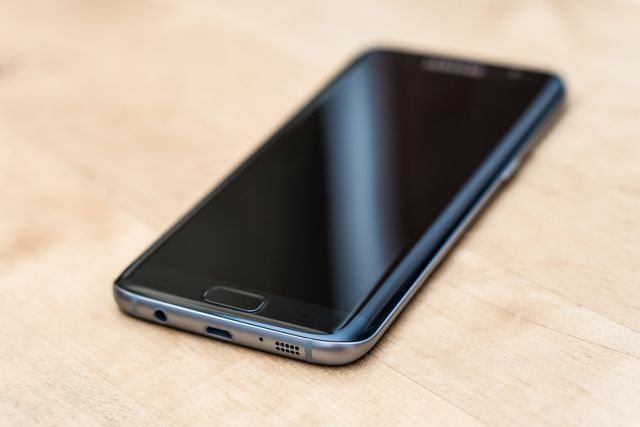
Teracube Thrive phone thrive: a calmer way to give kids a safer first smartphone with more control and less guesswork.
Teracube Thrive is a parent-managed Android-based phone for kids and teens that layers app approval, safe browsing, screen-time limits, GPS tracking, and contact controls on top of a real smartphone. It is best for families who want more freedom than a locked-down “dumb phone,” but far more guardrails than a standard Android phone.
The biggest trade-off is commitment: Thrive is tied to Teracube’s service and warranty model, and the carrier rules are stricter than many shoppers expect. The unlocked version works only with T-Mobile-based carriers, while the Teracube Wireless bundle is limited to Teracube’s own network.
Parents are shopping for kid-friendly phones for a simple reason: ordinary smartphones are built for adults, not for children learning how to manage attention, contact lists, and online risk. Common Sense Media’s 2025 census found that nearly 1 in 4 children have a personal cellphone by age 8, and the AAP’s screen-time summary cites teens averaging 8 hours and 39 minutes of media use per day, which explains why families keep looking for a middle ground.
That middle ground is where Teracube Thrive lives. It is not trying to be a toy, and it is not trying to be a stripped-down emergency phone; it is trying to be a normal smartphone with adult-sized boundaries built in from the start.
What the Teracube Thrive phone actually is
Teracube Thrive runs Thrive OS, which Teracube says is powered by Android, and the phone is designed around parent approval rather than child self-management. The current product page lists built-in parental monitoring, safe online search and browsing, healthy time limits, GPS tracking, and app approval before use. It also says kids can access Google Play apps, but only with parent approval and customizable time restrictions.
Think of Thrive as a permission system wrapped around hardware. A standard smartphone assumes the user can manage nearly everything on their own; Thrive assumes the opposite and makes the parent part of the setup loop. That is the real product, more than the phone itself.
Teracube also tries to make the box feel complete on day one. The package includes the phone, USB-C cable, protective case, pre-installed tempered glass, a Teracube Wireless SIM card, and a quick-start guide.
Teracube Thrive phone thrive: pricing and carrier limits
The most confusing part of Thrive is the buying path, because the site presents multiple options. The product page shows a Teracube Wireless bundle option and a “use your own network” option, while the FAQ explains that the bundle is tied to Teracube Wireless and the unlocked version works only with T-Mobile-based carriers such as T-Mobile, Metro by T-Mobile, Mint Mobile, Tello, Simple Mobile, Red Pocket GSMT, US Mobile on T-Mobile, and Ting. It also says Thrive does not support AT&T or Verizon.
That matters because many parents shop by device price and forget that the network can decide whether the phone is actually usable. Teracube says its wireless service starts at $35 per month for unlimited talk and text, with $39 for 1 GB data and $49 for 4 GB data. The same FAQ says the Teracube Wireless bundle keeps the premium warranty active, while the unlocked route gets only a one-year premium warranty and higher accidental repair cost.
Here is the part families usually miss: the cheapest-looking path is not always the cheapest once service and repair terms are added. Teracube says accidental repairs are $49 with an active wireless plan and $99 without it, and its care program includes free two-way shipping for warranty repairs while the wireless plan is active.
What the controls feel like in real life
Thrive’s core promise is not just blocking, but shaping habits. Teracube says parents can approve every app before use, set daily screen-time limits, set app-specific limits, create schedules for school or night use, monitor app usage and call history, and manage location tracking from the parent app.
That structure is useful for families who want a phone that grows with a child. A 9-year-old may only need calling, texting, and a tiny app list; a 14-year-old may need maps, music, and a few approved social tools, but with tighter time rules at night and during school. Thrive is designed to handle that in one device instead of forcing a leap from “nothing” to “everything.”
Teracube also emphasizes safer communication. Its product page says parents can keep contact lists approved, reduce spam or unknown calls, and block or limit group messages from unknown contacts. That makes Thrive closer to a guided communication tool than a general-purpose smartphone.
Where Thrive fits among kid phones
The easiest way to judge Thrive is to compare it with the two main alternatives: a more locked-down kids’ phone and a regular smartphone with parental controls added later. Thrive sits between those poles. It gives more app flexibility than a no-browser, no-social-media device, but more structure than a standard iPhone or Android phone that parents configure themselves.
| Option | Control style | Network / service model | Best for |
| Teracube Thrive | Parent approval, safe search, screen-time limits, GPS tracking, contact controls | Teracube Wireless bundle or unlocked T-Mobile-based carriers; no AT&T or Verizon | Families who want a real smartphone with guardrails |
| Pinwheel | Curated apps, caregiver portal, location alerts, schedules, no social media or browser by default | Choose your own carrier or Pinwheel Wireless | Parents who want carrier flexibility and app curation |
| Gabb Phone 4 | No internet, no social media, built-in parental controls | Gabb’s own device-and-plan ecosystem | Younger kids who do not need open apps |
| Regular iPhone/Android | Most flexible, but requires the most setup | Any compatible carrier | Older teens or families already comfortable managing controls |
The practical takeaway is simple: Thrive is not the safest device on the market, and it is not the most open either. It is the compromise product for parents who want meaningful limits without turning the phone into a tiny, frustrating brick.
The trade-offs that deserve a closer look
Thrive’s biggest advantage is also its biggest risk: because it is a “real” Android-based phone, the experience will feel familiar enough for kids to grow into. That can be a benefit when you want a smoother transition from childhood tech to a regular smartphone, but it also means the quality of the experience depends heavily on how well the parent sets the rules.
The carrier rules are another serious checkmark to verify before buying. Teracube’s FAQ says the phone does not support AT&T or Verizon, and the unlocked version is restricted to T-Mobile-based networks. That is the kind of detail that can turn a promising purchase into a return if you skip the fine print.
There is also a support-style trade-off. Teracube leans on its own warranty system and 5,000-plus UPS Store replacement network, which is unusual and potentially convenient, but it also ties the long-term ownership experience more tightly to Teracube’s service ecosystem. For families who like one company handling the phone, plan, and repair story, that is a plus; for families who want maximum independence, it is a constraint.
When Teracube Thrive makes the most sense
Thrive makes the strongest case for families who want three things at once: a normal smartphone feel, strong parental boundaries, and a path that can evolve as a child matures. It is especially appealing if you want app approval, browsing controls, and time limits without jumping straight to a fully open iPhone or a fully locked-down kids’ device.
It also makes sense if repairability and warranty structure matter to you. Teracube says its premium care program covers parts, performance, and two-way shipping while the active wireless plan is in place, and it offers on-the-spot replacements through UPS locations. That kind of ownership story can be more reassuring than a standard one-year warranty when the phone belongs to a child.
Teracube Thrive phone thrive setup advice for parents
Start by checking your carrier before you buy. If your family uses AT&T or Verizon, Thrive’s unlocked model will not fit your current setup as Teracube describes it, so you should not assume a simple SIM swap will work.
Next, think about the first month, not just the first day. The best kid phone is the one that still feels manageable after school starts, homework piles up, and bedtime rules collide with group chats. A parent-friendly phone succeeds when the rules are easy to maintain on an ordinary Tuesday.
Finally, decide whether you want freedom or friction reduction. Thrive is built to reduce friction in parenting, not to remove it entirely; you still have to choose app access, time windows, and contact rules. That is the price of getting a phone that feels collaborative instead of chaotic.
FAQ
Does Teracube Thrive have internet access?
Yes, but it is managed. Teracube says Thrive includes safe online search and browsing, and it can also access Google Play apps with parent approval and time restrictions.
Can Teracube Thrive use AT&T or Verizon?
No. Teracube’s FAQ says Thrive does not support AT&T or Verizon, and the unlocked version is for T-Mobile-based carriers only.
Is Teracube Thrive better than Gabb or Pinwheel?
It depends on your goal. Thrive gives more app flexibility than Gabb’s no-internet, no-social-media model, while Pinwheel offers broader carrier choice and a caregiver portal subscription model.
Does Thrive require Teracube Wireless?
No, but Teracube treats Teracube Wireless as the preferred bundle. The unlocked option works with T-Mobile-based carriers, while the Teracube Wireless bundle is limited to Teracube’s own service.
What comes in the box?
Teracube says the phone ships with a charging cable, case, pre-installed screen protector, pre-installed SIM card, and quick-start guide.
Key Takeaways
- Teracube Thrive phone thrive is a parent-controlled Android phone, not a stripped-down toy or a fully open smartphone.
- Its best features are app approval, safe search, screen-time limits, GPS tracking, and contact controls.
- The biggest buying trap is carrier compatibility: AT&T and Verizon are not supported, and the unlocked version is T-Mobile-based only.
- Teracube Wireless starts at $35 per month for talk and text, with higher tiers for data.
- Thrive is strongest for families who want a real smartphone feel with built-in guardrails that are easier to maintain than DIY controls.
- Gabb is more restrictive, while Pinwheel is more flexible on carrier choice and app curation.
- The best time to buy is after you decide how much freedom your child actually needs, not before.
Additional Resources
- Screen Time for Children and Young Adults: A clear, current snapshot of age-based media use and screen-time context for family decisions.