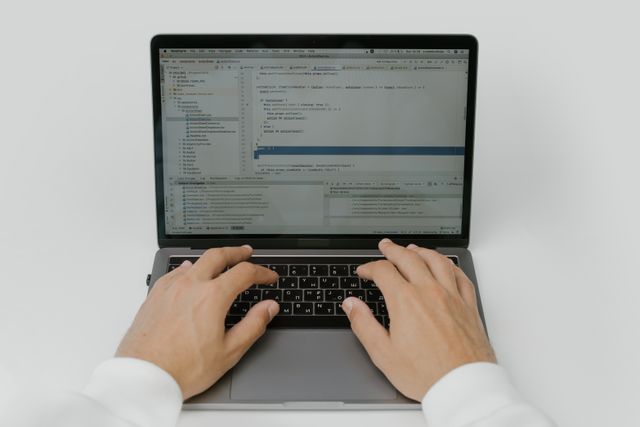
Greenfoot software makes Java feel visual, playful, and less intimidating for learners building their first games and simulations.
Greenfoot software is an educational IDE for learning programming through Java-based games and simulations. It lets learners work with “actors” inside “worlds,” so code becomes something you can see move, collide, and respond in real time.
The first time Greenfoot makes sense, it usually happens in a small, surprising moment. A character moves. A world reacts. A piece of code stops being an abstract promise and starts behaving like something alive.
That is the quiet appeal of Greenfoot software. It was built to make programming feel less like memorizing rules in a vacuum and more like watching cause and effect unfold on a stage you can control. The official project describes it as a visual environment for teaching object orientation with Java, and the University of Kent says it is meant to help learners create simulations, games, and other graphical programs.
“Greenfoot teaches object orientation with Java.”
“Actors live in worlds.”
“Stride is very similar to Java.”
What makes that interesting is not just the technology. It is the mood of the tool. Greenfoot software feels like a bridge between play and discipline, between “I just made something move” and “I am finally understanding how objects talk to each other.” That bridge matters more than people admit.
What Greenfoot Software Actually Is
Greenfoot is a project from the University of Kent’s programming education group, developed with La Trobe University and supported by Oracle and Google. The official overview says it teaches object orientation with Java, and the software-finder page from Kent says it is used to help learners build 2D graphical applications such as simulations and interactive games.
That sounds formal, but the idea is simple: instead of staring at text alone, you code things that appear on a visible stage. In Greenfoot, the central metaphor is not a blank file. It is a world. Inside that world are actors. The actors do things, and those actions are visible enough to be tested by eye instead of only by error messages.
The current official download page lists Greenfoot version 3.9.0, labeled “Upgrade to Java 21,” dated 29 October 2024. That matters because it shows the tool is not frozen in nostalgia; it has continued evolving with the Java platform.
How Greenfoot Works Without Feeling Like Homework
Actors, worlds, and visible cause-and-effect
Greenfoot’s most memorable idea is its actor/world model. Instead of thinking in pure text first, learners build behavior for objects that exist in a scene. A robot moves. An apple disappears. A score changes. A collision happens. The lesson is embedded in the motion itself.
That visual feedback is the real teaching trick. Beginners often do not fail because they are lazy. They fail because their code is invisible. Greenfoot makes mistakes louder and successes more obvious, which means debugging becomes less like archaeology and more like noticing what the scene is already telling you. The project’s research paper describes Greenfoot as combining graphical, interactive output with programming in Java.
Java first, but not Java alone
Greenfoot software is not a toy that hides programming away. It is built around real programming concepts, especially object-oriented design, but it gives beginners a softer landing. The official site says the actors are programmed in standard textual Java code, while the frames page explains that Stride is very similar to Java and can help learners move from frame-based editing into text-based syntax.
That matters because some tools keep beginners trapped in a simplified world. Greenfoot tries to do something more honest. It says: start visually, but do not stay there forever. The destination is still real code. The scenery just makes the road less steep.
Who Greenfoot Software Is For
Greenfoot is aimed at learners from about 14 years old upward, and the research paper says it is also suitable for college and university education. The University of Kent’s later outreach material also describes it as a school-level programming support system for learners from age 13 upward.
That audience matters because the tool sits in a very specific zone. It is not built for absolute no-code beginners who want everything done for them. It is also not a full professional IDE meant to handle every kind of production workflow. It lives in the middle, where curiosity is still fragile and confidence is still forming. That middle is hard to design for, and Greenfoot’s longevity suggests the designers understood that.
By March 2021, the University of Kent said more than 3.4 million students had learned programming through Greenfoot in schools, after-school clubs, workshops, and at home, across more than 49 countries. That is not just a usage statistic. It is a sign that the tool found a real emotional job to do: making the first steps of programming feel survivable.
Why Greenfoot Still Feels Different
There are many ways to teach coding, but Greenfoot software has a very specific personality. It does not begin with abstract syntax puzzles. It begins with motion, feedback, and a tiny universe that answers back. That is why it works especially well for games and simulations, where behavior is easier to understand when you can watch it unfold.
The educational design also reflects a useful tension. Greenfoot borrows the simplicity and visual appeal of microworlds, while also borrowing flexibility and interaction ideas from BlueJ. The project paper describes that combination directly, and that combination is still the reason Greenfoot feels more thoughtful than flashy.
It is tempting to think every coding environment should try to be “fun.” Greenfoot is more subtle than that. It does not chase fun as decoration. It uses fun as a doorway into structure. That is a better bargain.
Strengths and Trade-Offs
Greenfoot software is strongest when a learner needs to see programming ideas become visible quickly. It is especially good for object orientation, simple game logic, and simulation thinking. The visible world makes variables, methods, and object interactions easier to explain because the code has a body, not just a syntax.
The trade-off is that a teaching tool is still a teaching tool. Once projects become larger and more complex, students eventually need to move beyond the comfort of a guided environment. That is not a flaw so much as a reminder that good scaffolding is meant to be climbed, not lived on forever. This is exactly why Greenfoot’s Java path matters so much.
In other words, Greenfoot software is not trying to replace the rest of the Java ecosystem. It is trying to prepare people for it.
Greenfoot vs BlueJ vs Scratch
| Tool | Best at | What it feels like |
| Greenfoot | Teaching object orientation through interactive games and simulations in Java, with actors in worlds. | A tiny stage where code becomes visible. |
| BlueJ | Beginner-friendly Java teaching with features like object bench and code pad. | A clean lab for learning Java structure. |
| Scratch | Block-based creation of stories, games, and animations in a free online community. | A playful workshop built for fast experimentation. |
The contrast is useful because it shows Greenfoot’s niche clearly. Scratch lowers the barrier first. BlueJ sharpens the Java teaching experience. Greenfoot sits in the space where learners are ready to see object-oriented ideas moving inside a world instead of only reading about them.
FAQ
What is Greenfoot software used for?
Greenfoot software is used to teach programming, especially object-oriented Java, through visual games, simulations, and interactive graphical projects.
Is Greenfoot software good for beginners?
Yes. The official research paper says it is aimed at learners from about 14 years old upward, and it is also suitable for introductory university education.
Does Greenfoot software use Java?
Yes. Greenfoot supports standard textual Java code, and it also supports Stride, which the official site describes as very similar to Java.
What is the latest Greenfoot version?
The official download page lists Greenfoot 3.9.0, dated 29 October 2024, with an upgrade to Java 21.
Is Greenfoot still active?
The official download and version history pages show recent releases, including the 2024 version update, which indicates the project remains active.
Key Takings
- Greenfoot software is a teaching-focused IDE built around Java, visual feedback, and object-oriented thinking.
- Its actor/world model helps beginners understand code by watching behavior happen on screen.
- The tool is designed for games and simulations, not just abstract exercises.
- Greenfoot supports Java and Stride, giving learners a path from visual framing into text-based syntax.
- The official research places its audience around age 14 and up, with use extending into university teaching.
- The project is still maintained, with the official download page listing version 3.9.0 from October 2024.
- Greenfoot software matters because it makes programming feel understandable before it feels intimidating.
Additional Resources:
- Visual Java learning environment: A summary of the actor/world model, Java focus, and teaching purpose; useful for a fast, source-backed overview.
- Beginner Java learning: A closely related teaching tool from the same educational tradition, helpful for comparing beginner Java environments.